
 By
By 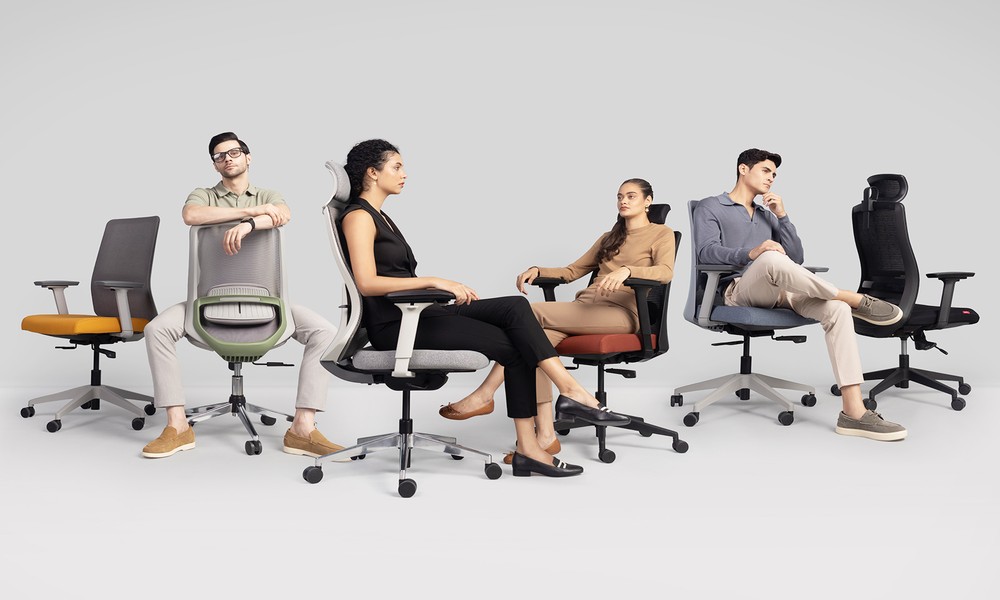
Ergonomic chairs cost a few hundred or sometimes thousands of dollars, thus making a wrong decision is a waste of money and will leave a person in a lot of pain. Before purchasing the chair, verification of the features will guarantee fitting of the chair with the body as well as space. This guide includes the top considerations to make prior to a purchase.
Things to evaluate before purchasing an ergonomic office chair
Seat depth and width adjustability
Too short a seat causes the thighs to have no support, too long is against the back of the knees. The perfect seat has a gap between the rear of the knee and the edge of the seat between two to three fingers. These are the measurements of the seats that need to be verified:
- Adjustment of the depth of the seat: The chair should be able to move the seat pan towards the front or back so as to suit varying leg lengths.
- Seat width suitability: Wider is appropriate to the larger users and narrow is appropriate to the petite users with no unnecessary space.
- Thigh clearance: The seat is not to push on the underside of the thighs as one sits full back.
- Waterfall edge design: Curved front edge simultaneously decreases the pressure on the back of the knees relative to a flat edge which is sharp.
- Removable seat cushion: Changeable foam or mesh means that you can refresh the chair after several years with use.
Lumbar support adjustability
Fixed lumbar support can be pushing on the incorrect position of a taller or shorter person. Adjustable lumbar slides this way up and down the spine, adapting itself to the natural curve of the spine. The following are the lumbar support features to be checked:
- Height adjustment range: Tall users need to be able to tilt the lumbar pad high enough, and shorter frames need to be able to tilt the lumbar pad down.
- Depth adjustment capability: The support must be able to move either in or out to give soft or hard contact as necessary.
- Independent sacral support: The chairs have independent lower pads which support the pelvis under the lumbar region.
- Removability option: Chairs with the ability to completely remove lumbar support suit are suitable for users who want no additional pressure.
- Non-intrusive design: The lumbar mechanism needs to be designed without forming a hard bump in the backrest with minimum adjustment.
Armrest adjustment range
Poor adjusting armrests cause one to hunch either the shoulders or sit the arms at unnatural angles. The best armrests will move in various directions to suit the various desk activities of the user. The following are the adjustments on the armrests to ensure:
- Height adjustment range: Armrests should be low enough to fit under desks and high enough to have restful shoulders.
- Width adjustment capability: The adjusting armrests can be moved nearer or further apart depending on the shoulder size and body size.
- Depth or slide adjustment: Armrests move forward or backward holding the forearm when typing or mousing.
- Pivot or swivel feature: Adaptable armrests enable the hands to meet on a keyboard, or support leaning on one side.
- Removable option: This feature can be found on some chairs, where the armrests can be removed altogether, or the chairs can be fitted with tighter armrests.
Summary
Seat depth, lumbar and armrest distance checks will eliminate purchasing an improper ergonomic office chair. These features can be tested prior to buying the chair to confirm that it will fit the working space and the body of the user. A good ergonomic chair is economical due to the fact that it alleviates backaches and can last a long time.








Comments